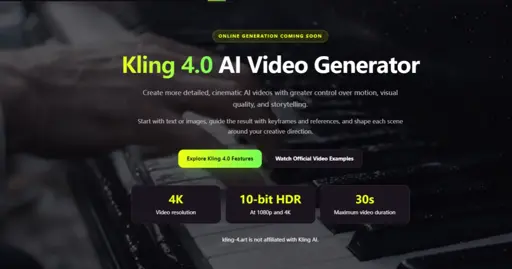
Kling 4.0 is the current generation of the Kling AI video model, and kling-4.art (https://kling-4.art/) wraps it in a studio-style web interface: you start from a text prompt or an image, then shape the video with keyframes or reference media before generating and downloading the result. According to the product page, the site is an independent tool and is not affiliated with Kling AI itself.
Four capabilities the product page highlights:
- Visual quality: up to 4K resolution, with 10-bit HDR available at 1080p and 4K. In the studio output settings, 720p and 1080p are selectable today and 4K is listed as coming soon.
- Longer scenes: videos run from 3 to 30 seconds, giving actions and story beats room to develop.
- Creative control: up to 10 keyframe images let you set visual checkpoints for movement, transitions, and scene progression.
- Reference-driven creation: an Omni Reference mode guides the result with reference images, videos, audio, and subjects together. The upload panel accepts up to 10 reference images plus up to 5 reference videos (30 seconds total, shortest side at least 700 pixels).
How to create a video in three steps, as described on the product page:
Step 1. Choose how to start: a prompt, an image, first and last frames, keyframes, or reference files. Step 2. Describe your scene: subject, action, camera movement, and the details you want to stay consistent. Step 3. Generate and download: pick a duration between 3 and 30 seconds, an aspect ratio (16:9, 9:16, 1:1, or 21:9), then generate and download the result.
Credits are charged when a video is generated, at 5 credits per second; a 5-second clip is estimated at about 25 credits, and the estimate is shown before you generate.
The site also embeds a set of official Kling 4.0 example videos organized by creation method: text to video, image to video, first-frame input, last-frame input, multi-keyframe, Omni Reference, video editing (character and scene replacement), long-form generation, social media and UGC formats, game visualization, and flash-generation modes using image references or reference inputs. Watching a few of these is the fastest way to see which input style fits a given project.
For a typical content workflow, the reference pipeline matters most: keeping a product, a face, or a scene consistent across shots is the hard part of AI video, and the combination of up to 10 reference images with up to 5 reference videos is what the product page leans on for that. The keyframe path covers the opposite case, where you already know the specific moments you want to hit and let the model interpolate between them. The 3-30 second duration range also matters for pacing: it is long enough for a short ad or a story beat, which many shorter-clip generators do not cover.
A note on positioning: kling-4.art states clearly that it is not affiliated with Kling AI, so treat it as a third-party studio front-end for the model rather than an official channel. For anyone evaluating AI video tools, the variables worth testing here are keyframe control, reference consistency across scenes, and how the duration range handles story pacing.
Материал живой, есть за что зацепиться и что обсудить.
Хорошо разложено по шагам, стало понятнее, где обычно теряется время.
Главная мысль попала точно. Такие материалы хочется обсуждать, а не просто пролистывать.
Вот это уже похоже на практичный опыт. Сохранил себе, вернусь позже перечитать.